Cancel Subscriptions - Subee
- 4.2
- Rating
- 100.00K
- Installs
- Free
- Price

 Analysis by App-foxy
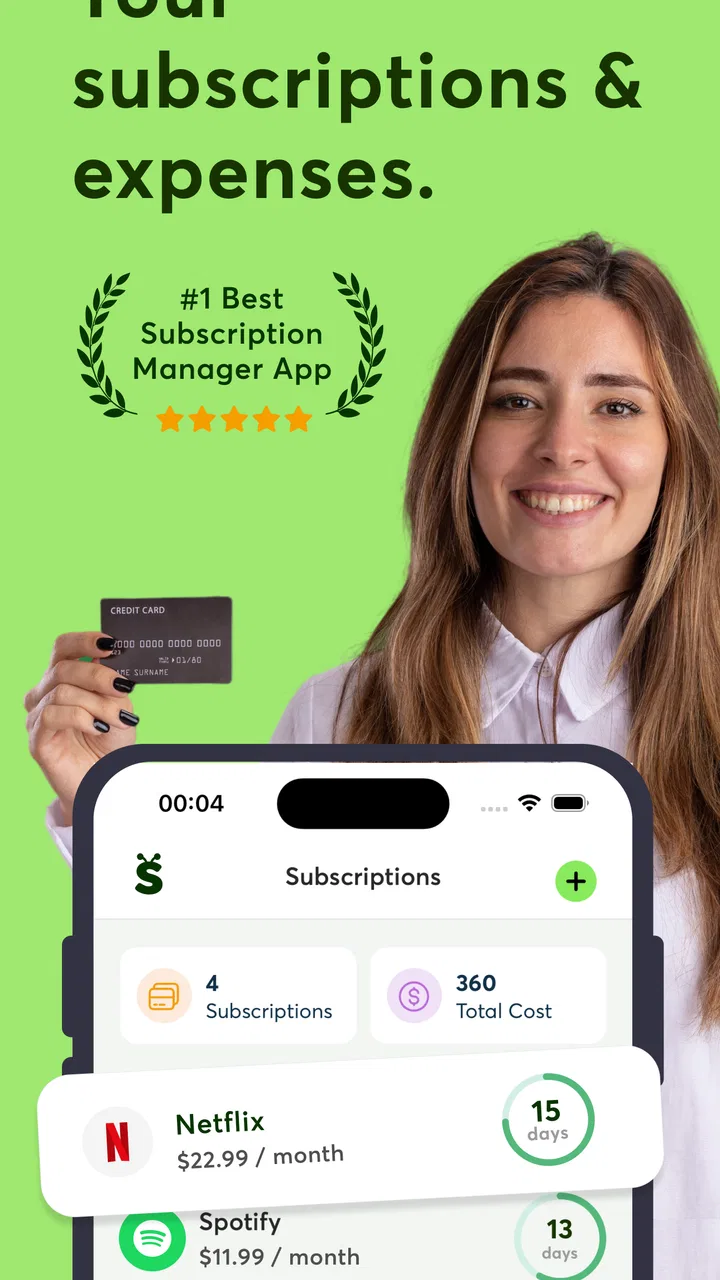
Subscription clutter is easy to underestimate. One small charge can pass unnoticed, but several services renewing on different days make it surprisingly difficult to see what is still active, what has already been cancelled, and where a refund request should begin. I found Cancel Subscriptions - Subee most interesting as a practical finance app for bringing that mess into one place. It is made by VUNYO and focuses on managing, finding, tracking, stopping, and refunding subscriptions, with an additional IRS government refund reference in its store summary.
My first impression was that Subee is aimed at people who want a more organized view of recurring spending without building a spreadsheet from scratch. It is free to install, carries an Everyone age rating, and has reached over 100 thousand installs. The app has a 4.2 average from around 6.8 thousand ratings, which suggests that many users find the general idea useful, while the smaller body of written feedback also hints that the experience may depend on how smoothly each person completes setup.
Where the experience can become confusing
The biggest challenge with a subscription manager is not usually the idea; it is identifying every subscription correctly. A service may be billed through a bank card, an app store, a digital wallet, or directly through the provider. If you expect Subee to automatically solve every possible billing relationship without any checking from you, you may end up disappointed. I would approach it as a visibility and organization tool, not as a replacement for reviewing your actual statements.
You May Also Like

 Blood Strike: 2.5 Anniversary
Blood Strike’s Loadouts Turn Every Drop Into a Tactical Gamble
A close look at Blood Strike’s custom loadouts: how fast access to signature weapons reshapes its battle royale rhythm, rewards preparation, and narrows the gap between fights.

 Pandora - Music & Podcasts
Pandora’s Music Is Easy to Start, but Harder to Recover
Pandora’s strength is its low-effort path from a seed to a station. Its weak spot is how much confidence it asks you to place in connection, setup, and quiet recovery.

 8 Ball Pool
 Is Built on Rivalries, Rematches, and Routine
A close look at the rivalries, rematches, shared routines, and unanswered safety questions that turn a quick pool match into a persistent mobile community.

 Samsung Music
’s Quiet Strength Is Playing What You Already Own
Its reach comes less from spectacle than from dependable access to a personal library. That simplicity is both the app’s strongest retention engine and its ceiling.

 AccuWeather: Weather Radar
AccuWeather Review: A Quick, Clear Forecast for Everyday Decisions
For everyday plans, the best forecast is the one you can understand quickly. AccuWeather makes rain timing, radar, and local conditions easy to act on, with a few trade-offs.

 Hill Climb Racing
Why Hill Climb Racing Still Turns Crashes Into One More Run
A tiny car, a bumpy hill and one more upgrade: Hill Climb Racing keeps resurfacing because its simple chaos makes every near-miss feel personal.
More From Our News Desk



That distinction matters when a subscription appears under an unfamiliar merchant name. The name on a bank statement may differ from the brand you remember signing up for, especially when a payment processor is involved. Before cancelling anything, I would compare the amount, renewal timing, email receipts, and account settings for the service. A tracker can help you notice a recurring cost, but you still need to confirm that it is the correct service before taking action.
Another possible sticking point is the difference between stopping a future renewal and obtaining money back for a charge that has already happened. These are separate tasks. Cancelling normally affects future billing, while a refund depends on the merchant or payment channel and may require its own request. Subee’s refund-oriented purpose makes that distinction especially important: treat any refund guidance as a starting point, then follow the relevant provider’s process carefully.
I also would not assume that a subscription disappears instantly after you request cancellation. Some services remain usable until the end of the paid period. Others show a pending status before the account page updates. That delay can look like failure even when the cancellation has been registered. My advice is to save the confirmation screen or email and check the account’s billing page rather than relying only on the app’s first status message.
What to check before starting
Before opening Subee, I would gather the information that makes subscription matching easier: recent statements, receipts in your email, and the names of services you knowingly use. This is a simple step, but it prevents a common mistake—marking a charge as an unwanted subscription simply because the merchant label looks unfamiliar.
It is also worth deciding what you want from the app. If your goal is a recurring-cost inventory, concentrate on finding and tracking. If you already know which service you want to stop, go directly to the cancellation workflow. If the problem is an unexpected charge, separate the refund question from the cancellation question. This small bit of preparation makes the app feel less like a search exercise and more like a controlled financial review.
Subee runs on Android version 7.0 or later, so compatibility should be straightforward for many older devices as well as newer ones. The current version is 1.2.35. I would still keep the app updated when possible, particularly if a screen behaves unexpectedly, because account and billing workflows can be sensitive to changes in connected services and operating-system behavior.
The store short description is simply “Subee,” while the longer summary describes its subscription management and refund focus. That difference tells me not to judge the app by the short label alone. Its usefulness depends on how you use the broader workflow: identify recurring payments, organize them, decide what action is needed, and verify the result outside the app when appropriate.
A safer first-session routine
On a first visit, I would avoid trying to process every subscription at once. Start with one service whose billing details you already understand. Confirm that the name and renewal information make sense, then test the tracking or cancellation flow with that single example. This creates a reference point and reduces the chance of making several changes before you know how the app presents completed actions.
For a household budget, I would use a second pass to separate personal services from shared ones. A streaming account, cloud plan, or family service may be paid by one person but used by several. Cancelling it without checking who depends on it can create an unnecessary argument. Subee can help reveal the cost, but the decision still needs context that only you and the other account users have.
A useful habit is to record the reason for each decision in your own notes, even if Subee already displays the subscription clearly. “Keep because it is used weekly,” “review after the trial,” and “cancel after exporting files” are much more useful than a bare list of provider names. This is one of the less obvious ways to get value from a tracker: use it as a prompt for decisions, not merely as a list of charges.
Recovering when a workflow does not go as planned
If a subscription is not found, I would first check whether the payment is genuinely recurring. A one-time purchase, a temporary authorization, or an annual charge that appears only occasionally can look similar to a subscription in a short statement history. Search for older receipts and inspect the provider’s own billing page before concluding that Subee missed something.
If the app shows a subscription but the provider still bills you, verify where the subscription was purchased. Cancelling through a website may not affect a plan purchased through an app marketplace, and cancelling an app-marketplace plan may not affect a direct account created on the provider’s site. The correct cancellation location is determined by the original purchase route, not by the device you happen to be using today.
When a cancellation button appears unresponsive, I would avoid tapping repeatedly or immediately assuming that the request failed. Check your connection, reopen the relevant screen, and look for an email or account-status change. If the provider has its own cancellation page, compare the status there. A second request can sometimes create confusion, especially when one screen is delayed and another has already accepted the change.
Refunds deserve an even more careful recovery process. First identify the charge date, amount, and merchant. Then use the appropriate account or support channel and keep any confirmation. If the charge came through a marketplace, the marketplace may handle the refund rather than the subscription company. If it came directly from the provider, its support team may be the right contact. Subee can help you organize the issue, but it cannot change the decision made by the billing party.
There is also a practical privacy habit I recommend: do not paste unnecessary card numbers, passwords, or full account credentials into notes or support messages. When documenting a charge, a shortened reference, merchant name, date, and amount are usually enough to find it again. This is especially sensible when you are moving between a finance app, email, and a provider’s website during the same investigation.
How I would use it during a normal month
Imagine noticing three recurring charges after reviewing a bank statement. I would open Subee and use the first charge to confirm the service name and renewal pattern. For the second, I would check whether it belongs to a family member before changing anything. For the third, I would compare the statement with the provider’s account page because the merchant label is unfamiliar.
After that review, I would divide the results into three actions: keep, investigate, and cancel. The “keep” group needs no immediate change. The “investigate” group may involve a trial, a duplicate account, or a billing name that does not match the brand. The “cancel” group should be processed one service at a time, with confirmation saved after each action. This workflow is slower than blindly cancelling everything, but it is much safer.
For people who often forget annual renewals, the tracking side may be more valuable than the cancellation side. A renewal can be easy to miss when it happens only once a year, so reviewing the list before major budgeting decisions can prevent surprises. I would not treat the list as perfectly self-maintaining, though. Whenever you open a new service or change a payment method, update your own financial records as well.
The app may also be useful when preparing for a move, a job change, or a period of reduced income. Those moments make recurring costs more important, and a concentrated review is easier than searching through months of statements manually. The trade-off is that the app cannot know which services are genuinely valuable to your life. It can expose the expense; you still have to judge the benefit.
When Subee is not the cause of the problem
Some failures that look like app problems actually come from the service being managed. A provider may require cancellation from a browser, may hide the option behind account settings, or may keep access active until the paid term ends. A delayed bank statement can also make a successful cancellation look unsuccessful because the old authorization remains visible for a while.
Payment disputes are another example. If a charge is fraudulent, duplicated, or made by someone else in the household, the right response may involve the bank or payment provider rather than a normal subscription cancellation. I would use Subee to organize the facts, but I would not rely on a standard cancellation flow to resolve a security issue.
Likewise, a refund request can be rejected even when the subscription itself is cancelled correctly. Refund rules are controlled by the billing party, and the outcome can depend on the purchase route and the nature of the charge. The practical lesson is to act quickly, keep records, and avoid confusing “cancelled” with “refunded.” They are not interchangeable results.
Compared with a spreadsheet, Subee is more convenient for people who want a dedicated place to review subscriptions rather than design their own columns and reminders. A spreadsheet gives you more control over categories, formulas, and custom notes, but it depends entirely on manual upkeep. Compared with checking each provider separately, Subee offers a more focused starting point, although provider-specific account pages remain essential for final confirmation.
It is also different from relying only on a bank app. Bank apps are excellent for seeing actual transactions, but they may not explain which account created a charge or whether a renewal is still active. Subee’s value is in turning recurring payments into a decision list. The strongest approach, in my view, is to use both: the subscription manager for organization and the financial account for verification.
Who should use it, and who should skip it
I think Subee is a good fit for anyone with several digital services, irregular renewal dates, or a habit of forgetting trials. It is particularly helpful if you want a dedicated workflow for reviewing recurring spending instead of waiting for a surprising bank notification. People who are comfortable checking provider accounts and saving cancellation confirmations will get the most from it.
I would be more cautious recommending it to someone who has only one or two subscriptions and already monitors them directly. In that situation, the extra layer may not save much time. It is also not the right sole tool for someone expecting guaranteed refunds, automatic resolution of billing disputes, or complete replacement of bank records. Those needs belong to the merchant, payment provider, or bank.
The app is free, but in-app purchases range from around five dollars to around one hundred dollars per item. Because of that range, I would pay close attention to any upgrade screen and make sure I understand what is included before confirming a purchase. The free entry point makes it easy to try the basic experience, while the paid options mean that cost-conscious users should decide whether the additional value matches their personal subscription workload.
Its Everyone rating makes it approachable for general household use, but that does not remove the need for sensible financial habits. I would avoid sharing account access casually, review what information I enter, and use the app alongside official billing pages. Those precautions are not criticisms specific to Subee; they are appropriate whenever an app helps organize personal finances.
My practical verdict
After looking at the way Subee fits into real subscription cleanup, I see it as a useful organizer rather than a magic cancellation button. Its strongest role is helping you move from vague suspicion—“I think I am paying for too much”—to a structured review of recurring services, next actions, and follow-up checks. The refund angle adds value when you need to collect the facts for a request, but it should not create the expectation that every refund is automatic.
The app’s main friction is the same issue that affects this entire category: billing data is scattered across providers, marketplaces, banks, and email. That means careful matching is still required. If you rush, you could cancel the wrong service, mistake a one-time charge for a renewal, or assume a pending status means the action failed. A patient, one-subscription-at-a-time workflow avoids most of those problems.
For my own use, I would open it during a monthly money check, compare its entries with recent transactions, and investigate anything that does not match. I would then confirm cancellations with the original provider and keep refund requests separate from cancellation records. That process takes a little discipline, but it turns the app into something genuinely practical rather than another financial dashboard I glance at once and forget.
My recommendation is simple: try Subee if recurring charges are difficult to track and you want a focused place to organize them. Skip it if your subscription list is already tiny and fully controlled through official account pages. Either way, treat it as a useful layer of oversight, not the final authority on billing. Used with statement checks and provider confirmations, Cancel Subscriptions - Subee can make subscription cleanup clearer and less stressful.
FAQs for Cancel Subscriptions - Subee
01What is Cancel Subscriptions - Subee used for?
Cancel Subscriptions - Subee is designed to help users identify and manage recurring subscriptions in one place. It can make it easier to review services you may have forgotten about, check upcoming renewal dates, and organize cancellation tasks. However, the app generally acts as a management and reminder tool; it may not be able to cancel every subscription automatically, especially those billed through external websites or different app stores.
02Can Subee cancel any subscription automatically?
Not necessarily. Whether a subscription can be canceled directly depends on where it was purchased and how the provider handles account management. Subscriptions bought through Apple, Google, or a company’s website often require cancellation through the original billing platform. Subee may guide you to the correct settings or provide instructions, but you should always confirm the cancellation with the service provider and check for a confirmation email.
03Is Cancel Subscriptions - Subee free to download and use?
The app may be available to download without an upfront charge, but some features can require a subscription, trial, or in-app purchase. Before starting a trial, carefully review its duration, renewal price, and cancellation terms. A free trial can automatically become a paid plan if it is not canceled in time. The exact pricing and available features should be checked on the official App Store or Google Play listing.
04Does Subee need access to my bank account or email?
The permissions required can vary depending on the version and platform. Subscription-management apps may request information such as email details, purchase records, or notifications to help identify recurring payments. Before granting access, review the privacy policy and app permissions carefully. Avoid entering banking passwords directly into an unfamiliar app, and verify how your information is stored, used, shared, and deleted.
05How can I make sure a subscription was successfully canceled?
After following Subee’s cancellation instructions, verify the result directly with the subscription provider. Look for a confirmation message, email, or updated account status showing that automatic renewal is disabled. It is also wise to take a screenshot and check your payment statement during the next billing period. Removing the app alone usually does not cancel a subscription, so cancellation must be completed through the correct billing account.
Pros
- Quickly identifies recurring subscriptions and upcoming charges.
- Provides a central view of memberships across different services.
- Can help users spot forgotten or unwanted subscriptions.
- Useful reminders may reduce missed cancellation deadlines.
- Simple interface makes subscription tracking easy for most users.
Cons
- Some features may require access to sensitive financial information.
- Subscription detection may be less accurate for unusual billing patterns.
- Cancellation support can vary depending on the service provider.
- Data accuracy may depend on regular account or transaction updates.
- Privacy-conscious users may prefer not to link payment accounts.

Cancel Subscriptions - Subee
Gallery